Kanary 2026 Product Brief
(Updated
)
Welcome! This brief covers how Kanary’s product, pricing, technology and support works as of July 2026. It’s intended for journalists, product reviewers, and interested customers. Questions? Reach out to [email protected]. This post is organized into the following sections:
What is Kanary?
Who is behind Kanary?
Product, Pricing, Technology and Support Highlights
Deep Dive
Sources: Data Brokers, Search Engines, Social Media and LLMs
Enterprise Deployment
What is Kanary?
Kanary is the digital and physical attack surface management platform, for people. The platform builds a threat model for every individual, finds and mitigates active exposures, and delivers audit-ready intelligence. Kanary powers the protection of viral celebrities, non-profit leaders, grant makers, politicians, investors, corporate executives, board members, and their families and colleagues. The company is U.S. based, female founded, YC backed and SOC 2 certified.
Who is behind Kanary?
Our origins trace back to data science work supporting the 2016 US presidential campaigns. From there we began supporting candidate and staff safety. We launched Kanary in 2020 and our first funding came from Y Combinator, Mozilla, and 2048. We have been growing sustainably since. Our core team manages all aspects of the service, support, and technology and we collaborate directly with members on our Reddit, LinkedIn, and via email. Unlike some removal services, we do not send your personal information to unvetted third parties.
Product, Pricing, Technology and Support Highlights
Product (what you get)
Threat modeling: We analyze the risk of each individual to determine the unique human attack surface.
Exposure monitoring: We identify personal data leaks across the internet that put individuals and organizations at risk.
Risk mitigation: We prioritize and remediate, starting with the most critical exposures, to meaningfully reduce human risk.
Incident response and recovery: When incidents occur, we help contain the threat and assist with restoring online presence.
Configurable coverage: Members can select preferred site coverage, increase scan frequency, escalate remediations and access support based on specific levels of risk.
Pricing (what it costs)
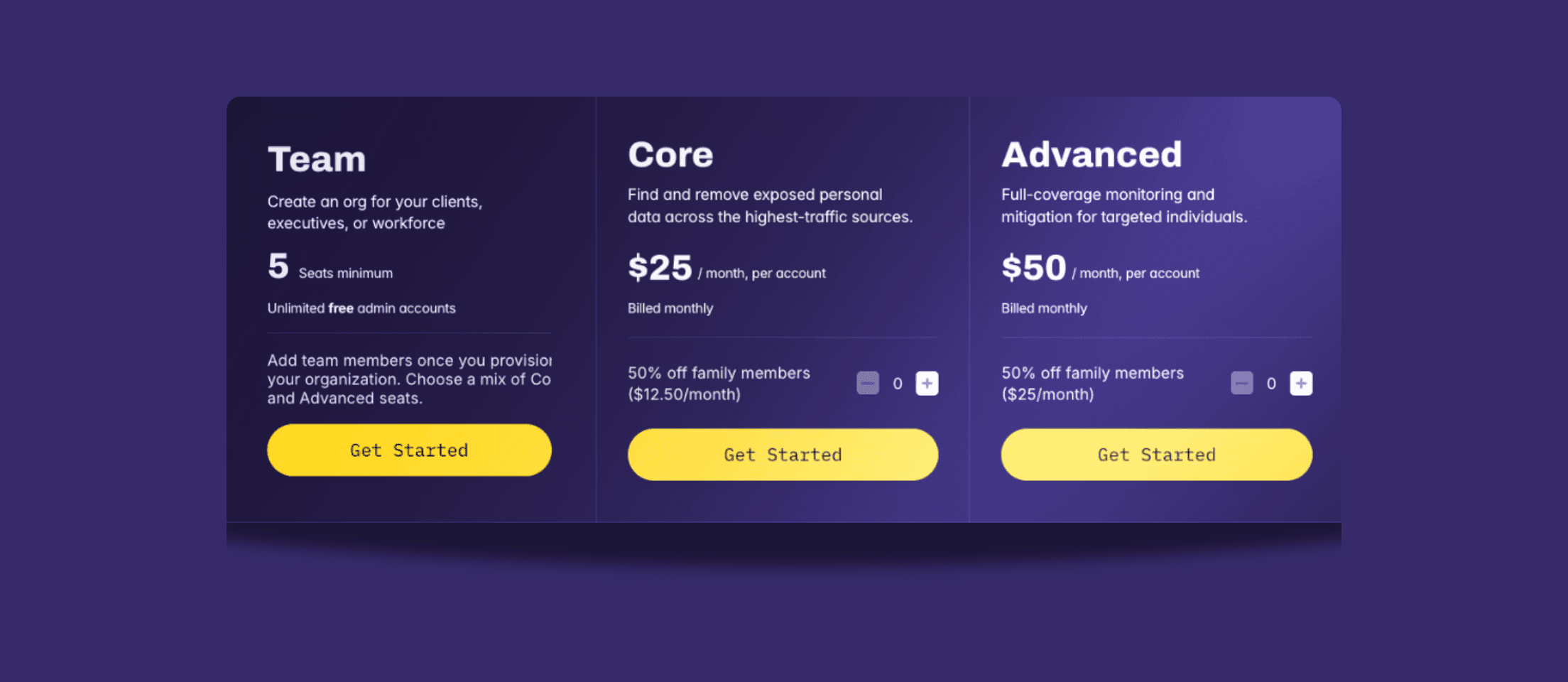
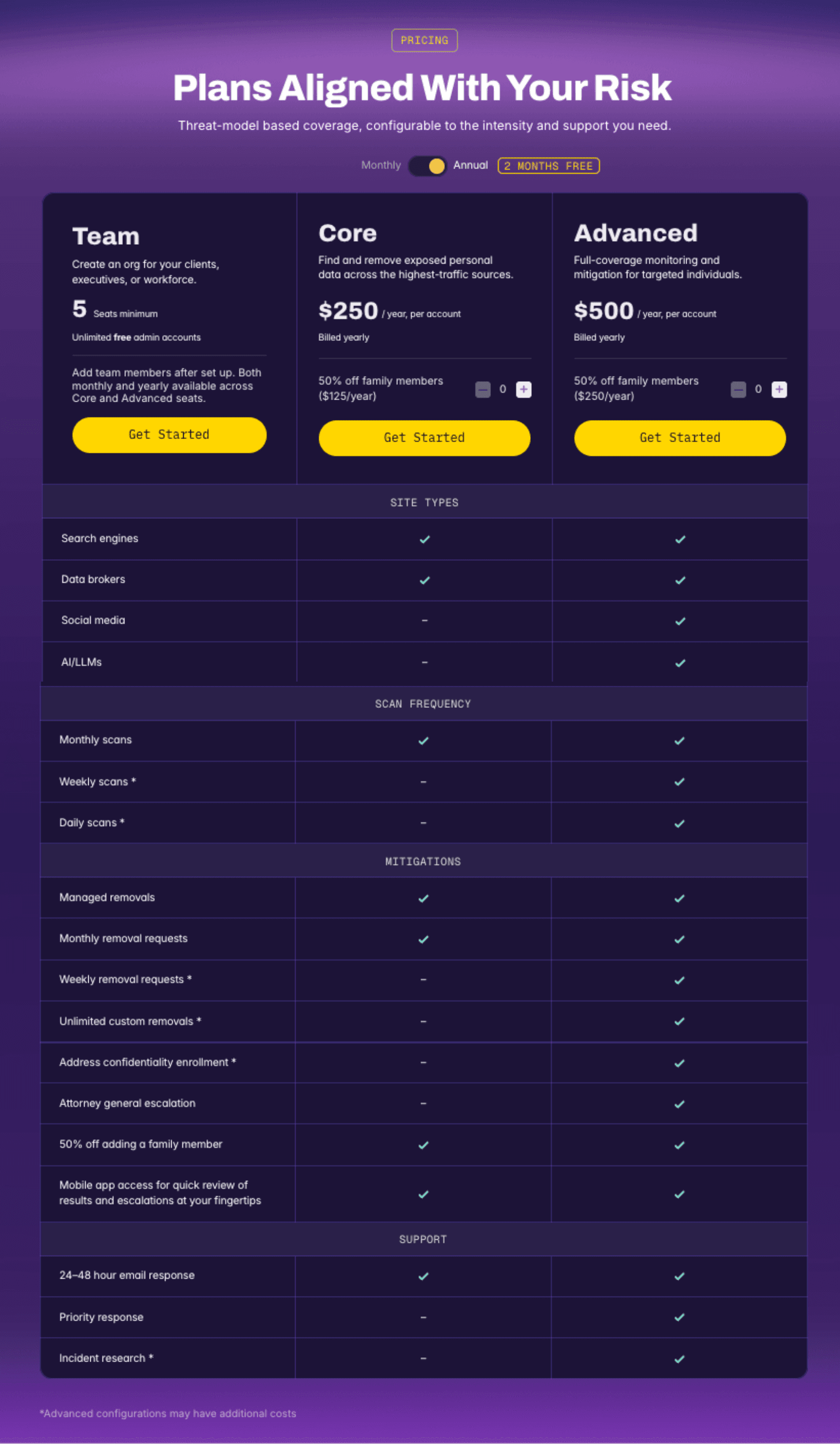
The Core tier is available at $25/mo or $250/yr.
The Advanced tier is available at $50/mo or $500/yr.
Team accounts are available with the option to add a mix of Core and Advanced tier members, and unlimited free admin seats.
Members receive a 50% discount for each family member added.
Kanary offers a 30-day money-back guarantee.
Technology (how it works)
The Kanary platform runs automated scans, removal requests, escalation emails, regulator complaints, and account security settings audits and fixes.
Scans are modeled after attacker search techniques and risks are found and mitigated across data brokers, search engines, social media, and AI/LLMs.
Sites are aligned to unique risk profiles, and removals are prioritized based on top threats. We don't play data whack-a-mole, we measurably harden attack surface. See our full site coverage list.
Kanary provides screenshots and direct links to all listings so you can verify results.
Monthly reports are shared via email, and on-demand reports are available via PDF or API.
Support (how we operate)
Kanary members have direct access to our founder, executives, engineering team, and broader community.
Lengthy data intake forms are not required to get results. With name, city/state, and age Kanary can find hundreds of exposures, just like an attacker would.
Mitigation strategies go beyond removal: Kanary leverages techniques like disruption, address confidentiality programs, and legal trust guidance.
Team accounts can be member-managed or admin-managed depending on organizational requirements.
Deep Dive
Getting started
Become a Kanary member by visiting the Pricing page on our website. Kanary tiers include:
Core tier:
Core is our fully managed service covering automated scans and removals from top sites, with live tracking and quick handling of verification steps like CAPTCHAs, email confirmations, or ID checks.
Limitations:
Kanary managed scans only cover a subset of top sites, not all sites, social media, and LLMs.
Escalation is only available in states where privacy or security laws exist.
Core is only available to U.S. residents at this time.
Advanced tier:
Advanced includes all the Core tier capabilities with extended source coverage that includes social media and LLMs, broader support, and hands-on escalation for harder removals. If your scarcest resource is time, this is the right starting place. The Advanced tier scans and removes you from the full coverage of sites as well as assists with ad hoc requests like address confidentiality enrollment, breach monitoring, and more. You get direct access to our team of NIST security alumni, campaign security experts, and data science professionals.
Limitations:
Assistants or admins can manage memberships on your behalf, but they may be limited in actions that require your ID or verification.
We may request authorized agent status to escalate challenging removals.
Kanary is available to people outside the US for the Advanced tier, but some countries will not be supported in 2026.
Family members can be added by clicking + to add them before getting started, or you can always add them later.
Team accounts can be created using a mix of both Core and Advanced tiers. Kanary is enterprise-ready, with SSO for Okta, Entra, Google, and is SOC 2 certified. 200+ organizations and enterprises work with Kanary as part of their executive protection program or as an employee benefit. As companies ask their employees to represent them at events or on social media, they open them up to doxxing, impersonation, physical intimidation, and phishing. Partnering with Kanary is the best way to reduce human attack surface without manual intervention.
All accounts take less than 5 minutes to set up, and scans start immediately.
If you're unsure of which tier is right for you, book a free 20-minute assessment with our team. We'll assess your threat model and set expectations for how the service works.
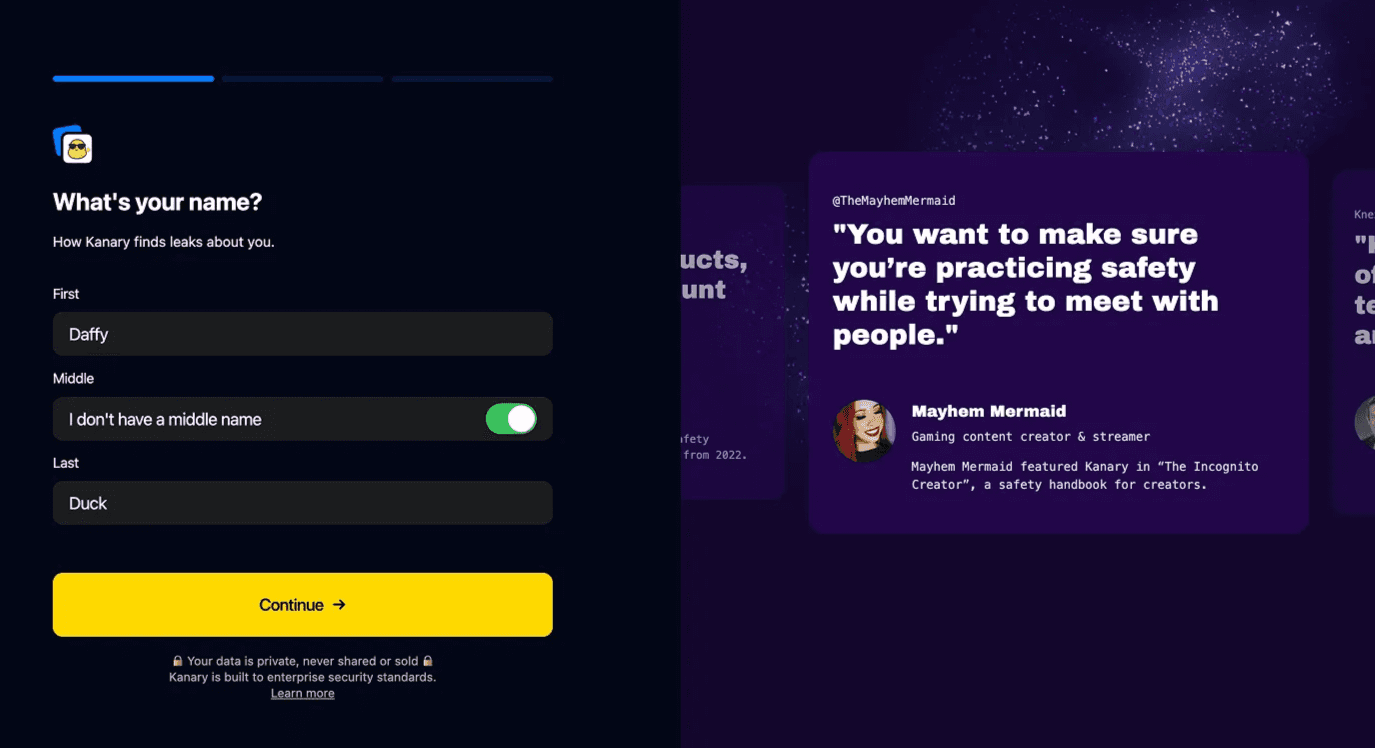
Start by creating an account with Google or Apple SSO, or email and password. You’ll be able to set up MFA later. Add a name, city/state, and birth year, and Kanary can identify hundreds of matches with just that information. Many attackers start with this basic information. So it’s important to start there, then go deeper. You’ll be able to add information and refine results after the initial onboarding.
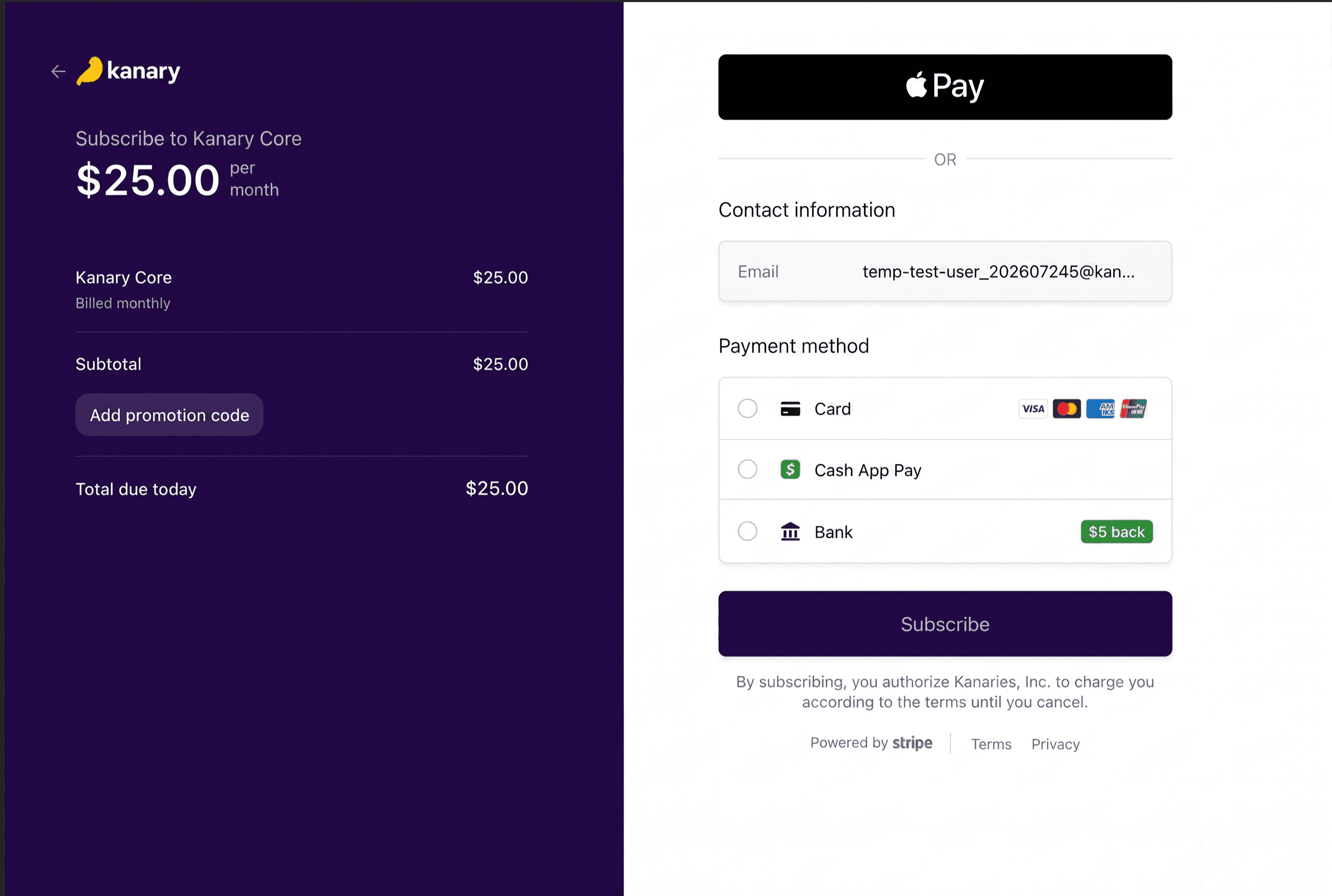
Select payment preferences and complete the transaction. A credit card is required to get started, and invoicing is available for team accounts with more than 25 members. You’ll receive renewal notifications, and there is a 30 day money back guarantee if you are not satisfied with the service.
Congratulations, you're now a Kanary member!
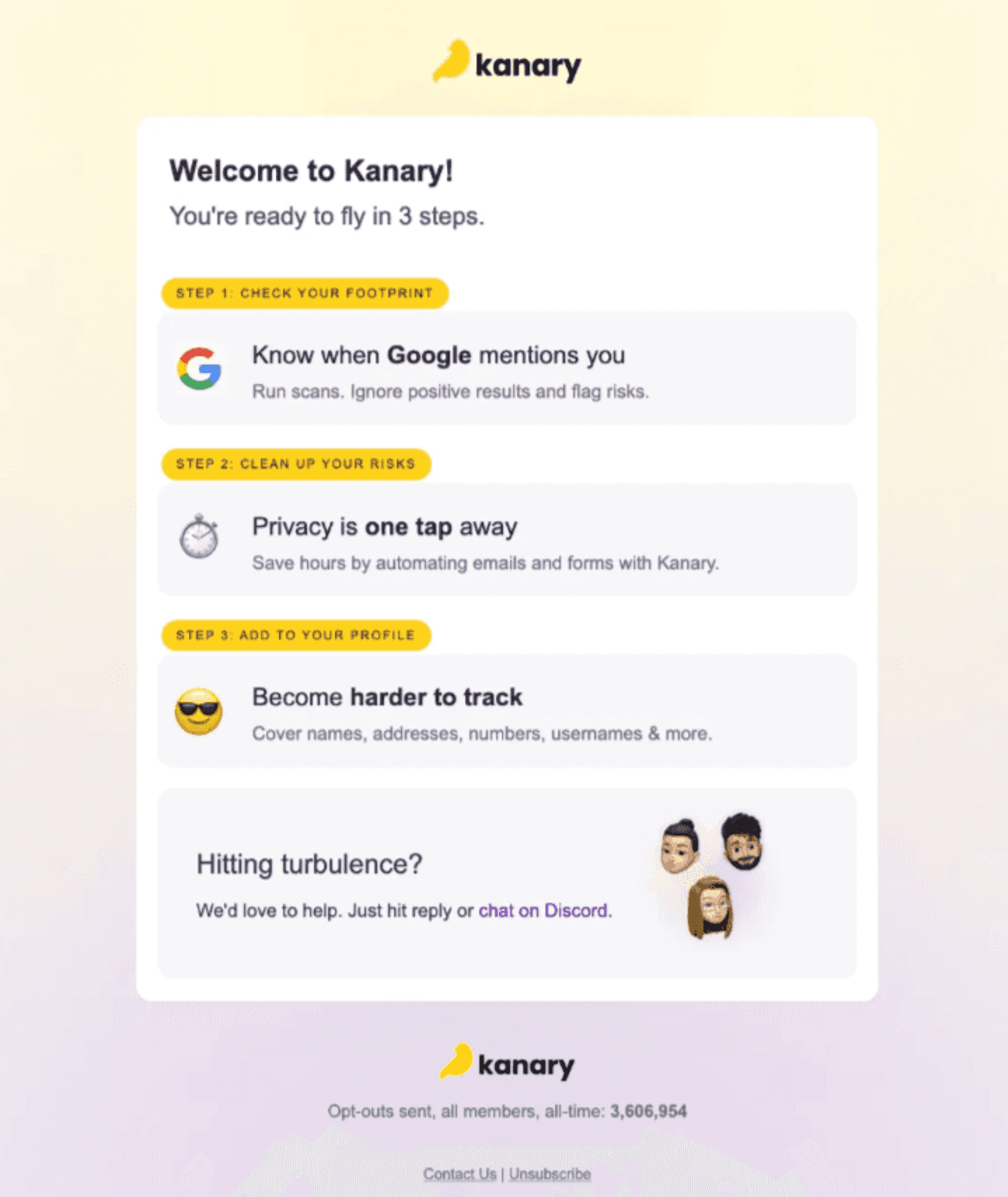
On the dashboard, you’ll be asked to complete your profile. You can add up to three variations of your name, places you’ve lived, phone numbers, email addresses, and social media handles. While Kanary is good at finding your exposures with the minimum set of data, filling out this extra info will allow Kanary to check more sites and match your information with more accuracy.
Kanary starts scanning right away. This happens on our servers so you can close the browser or your computer, walk away, and Kanary will notify you when it’s complete. These are live scans that search the way an attacker searches to unearth sensitive information. Scans can take several hours to complete. You’ll receive an email notification once it completes.
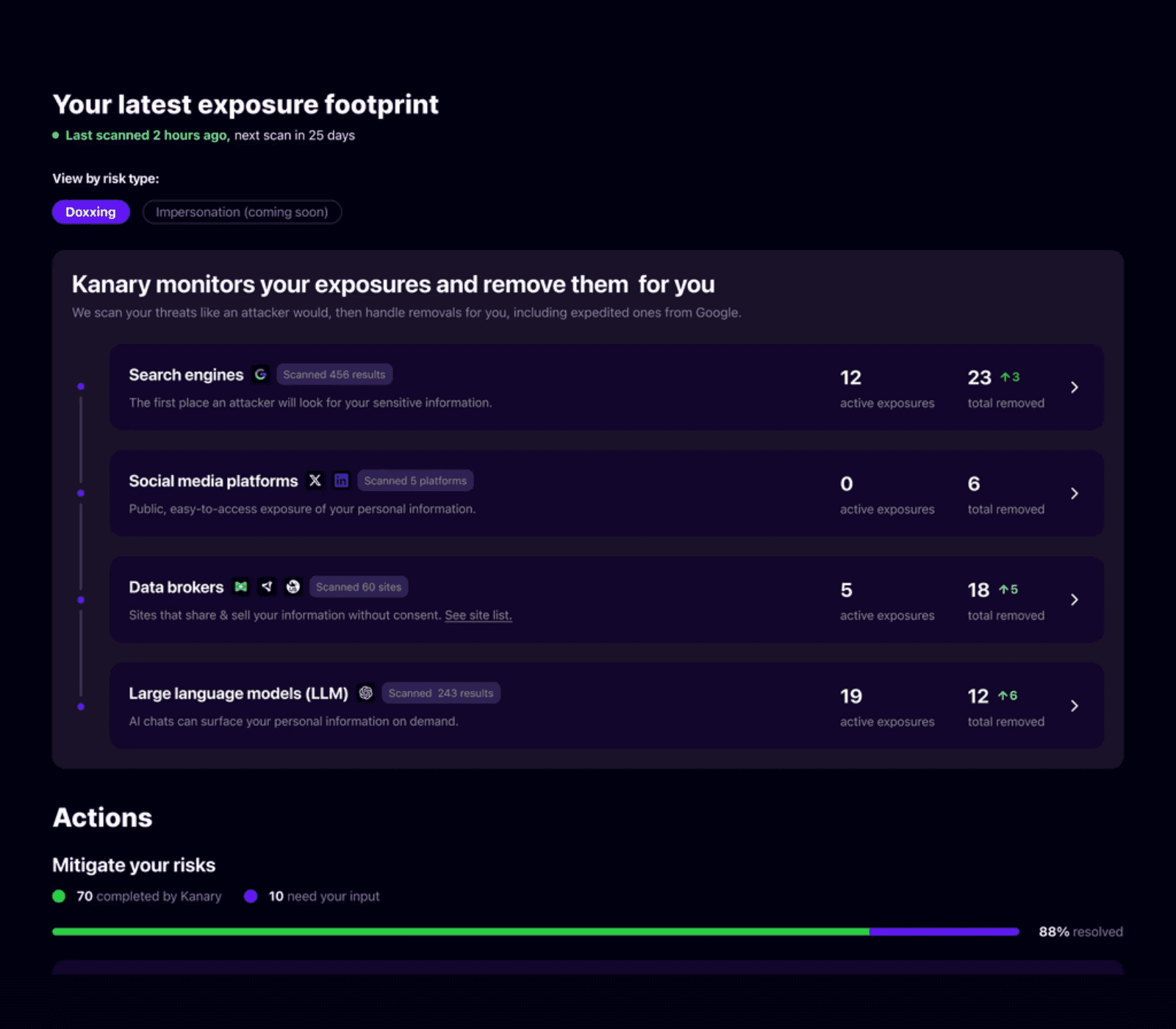
After the scan completes, Kanary determines which results are risky and which results are actually about you. Most of the time, we get it right, and you can start removals right away. When the system isn’t sure, it will ask for your input on results before it starts removing them. We don’t want to remove something good about you online, like media coverage or a professional profile. But in cases where someone might be impersonating you on a legitimate platform, we can catch it. You’ll be able to quickly tap ‘yes’ or ‘no’ about results if they are about you. Then do the same if they are a risk to your safety and you want them removed. After you share this feedback once, the system will do a better job recognizing results about you next time. Kanary also maintains a whitelist of media, professional, or social results about you so that your positive online footprint is not impacted. If you notice Kanary missed an important exposure, you can add results and our team will review and make sure the best next steps are available on the platform.
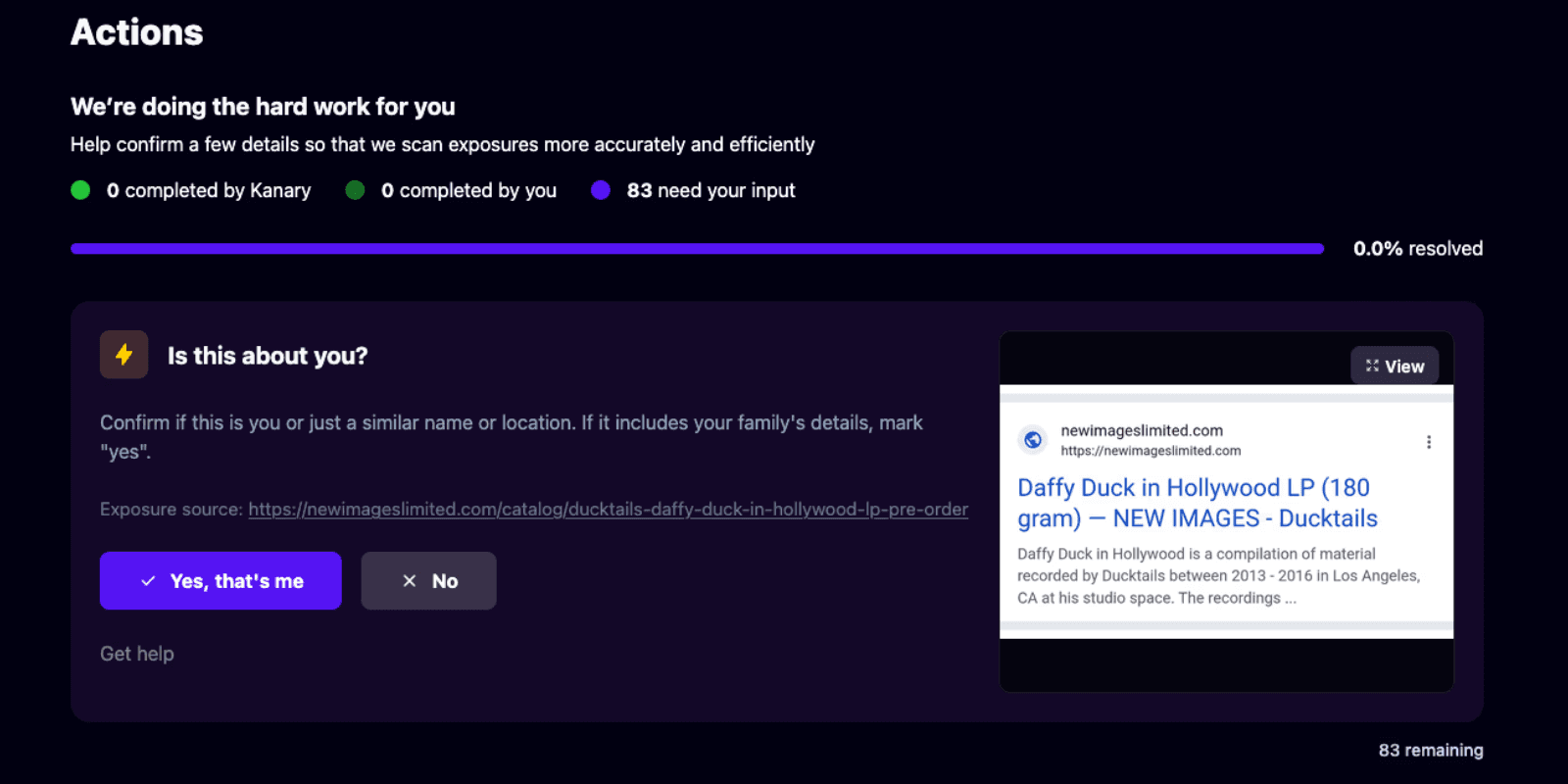
Depending on the risks Kanary finds, you may see options to suppress results on the web or send emails; however, you do not need to manually trigger scans or mitigations.
You and your team can make unlimited requests for new sites, result reviews, and escalations. Depending on your plan, you may run scans daily, weekly, or monthly. Kanary currently focuses on publicly exposed data, but individuals who need to prioritize private data sets used by government agencies, foreign companies, and other highly resourced organizations should discuss this during the assessment with the Kanary team.
Removals start as soon as results are found. While removing data is always the goal, you may have information in the public record that cannot be removed: professional registries, corporate records, property records, and political donations, to name a few. Kanary will approach each risk with the goal of mitigating it by:
Removing the data
Updating the data with less sensitive information (home address -> work address)
Working with you and your team to enroll in address confidentiality programs and provide legal justification in removal escalation
Connect you with digital rights lawyers
… and any other new methods of escalation or mitigation
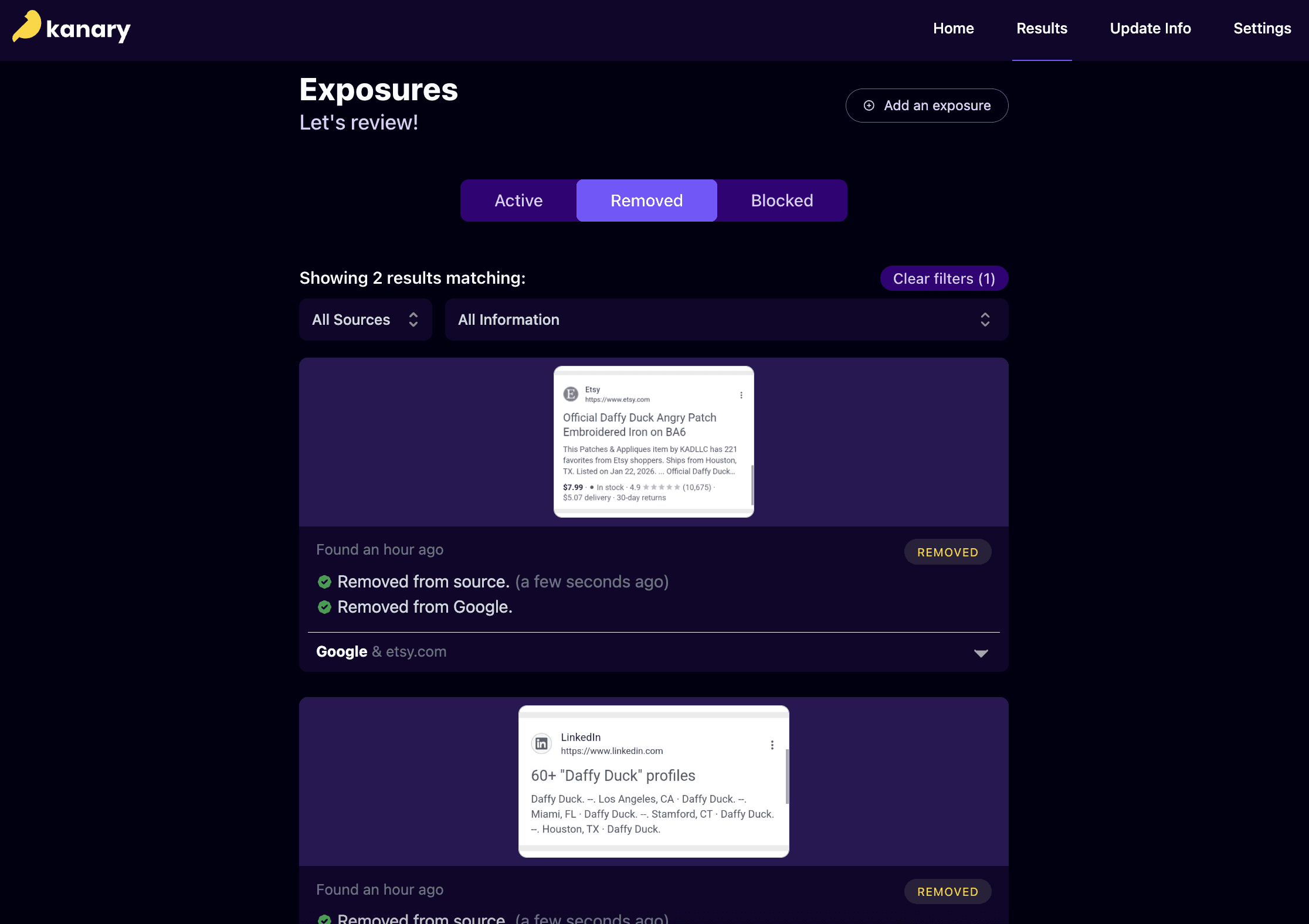
We work to escalate and remove information as quickly as possible. We understand how important speed is when you’re facing an attack or controversy. But Kanary cannot directly delete the data on someone else’s website. We send the request, check to see if they took action, then report back to you when they’ve removed it. For some sites, this takes 24 hours. For others, it can take 90 days or more. Legally, sites are allowed to take 90 days to respond to requests. We find this wait time as frustrating as you do. Depending on the severity of your threats, we can escalate every 15, 30, or 90 days to state or federal regulators and can work with your legal counsel to do the same.
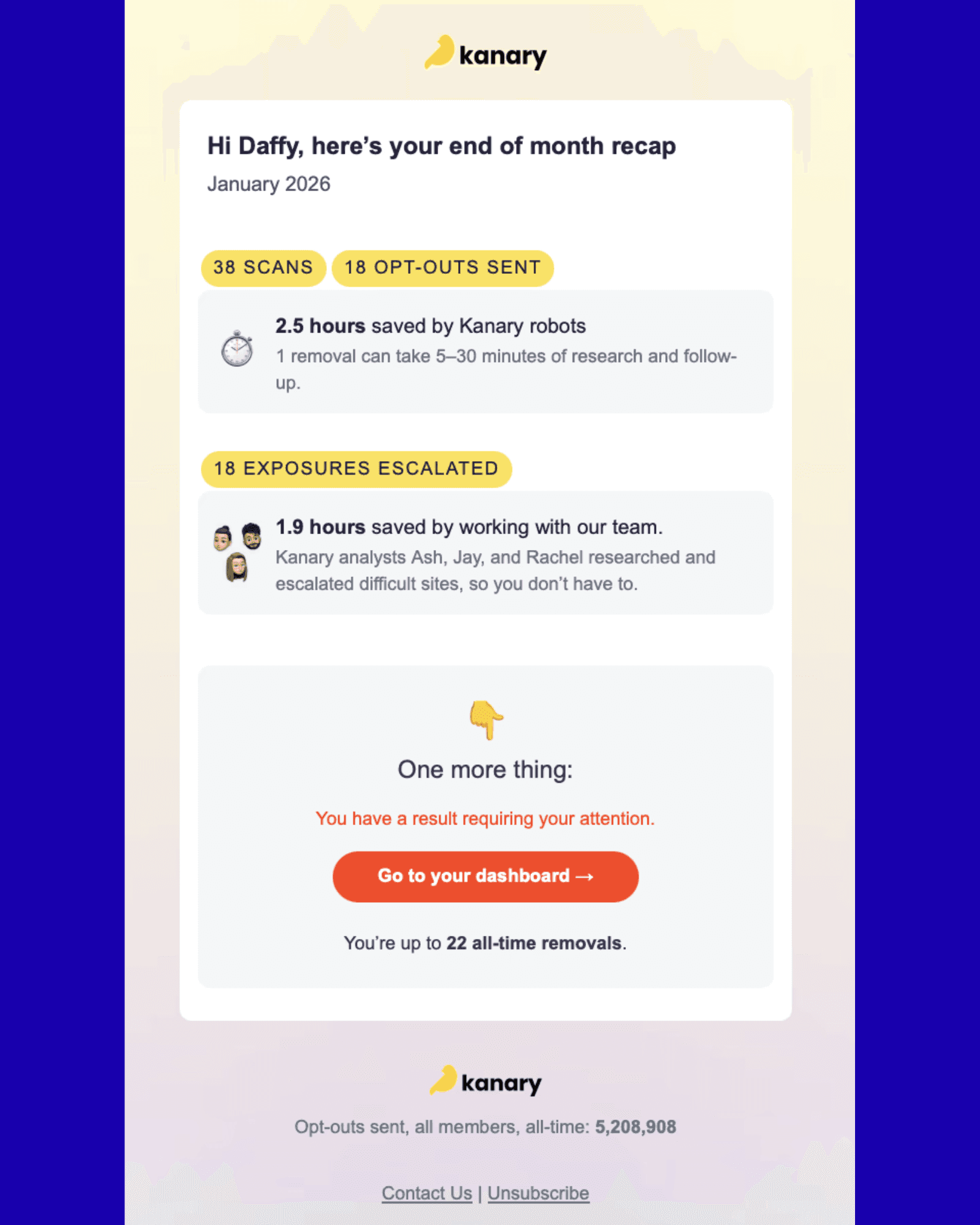
You’ll also receive email updates 1-2x per month about the status of your scans and removals. In certain cases, we will request ID or authorized agent status to remove a result.
Sources: Data Brokers, Search Engines, Social Media and LLMs
Kanary has monitored and mitigated personal data exposures across more than 68k unique sites. Source coverage includes data brokers, social media platforms, search engines and AI/LLMs. Core covers the highest-traffic sources; Advanced adds full site coverage, plus social media and AI/LLMs. Our list updates constantly based on new threats and member suggestions. See the full site list.
Data Brokers
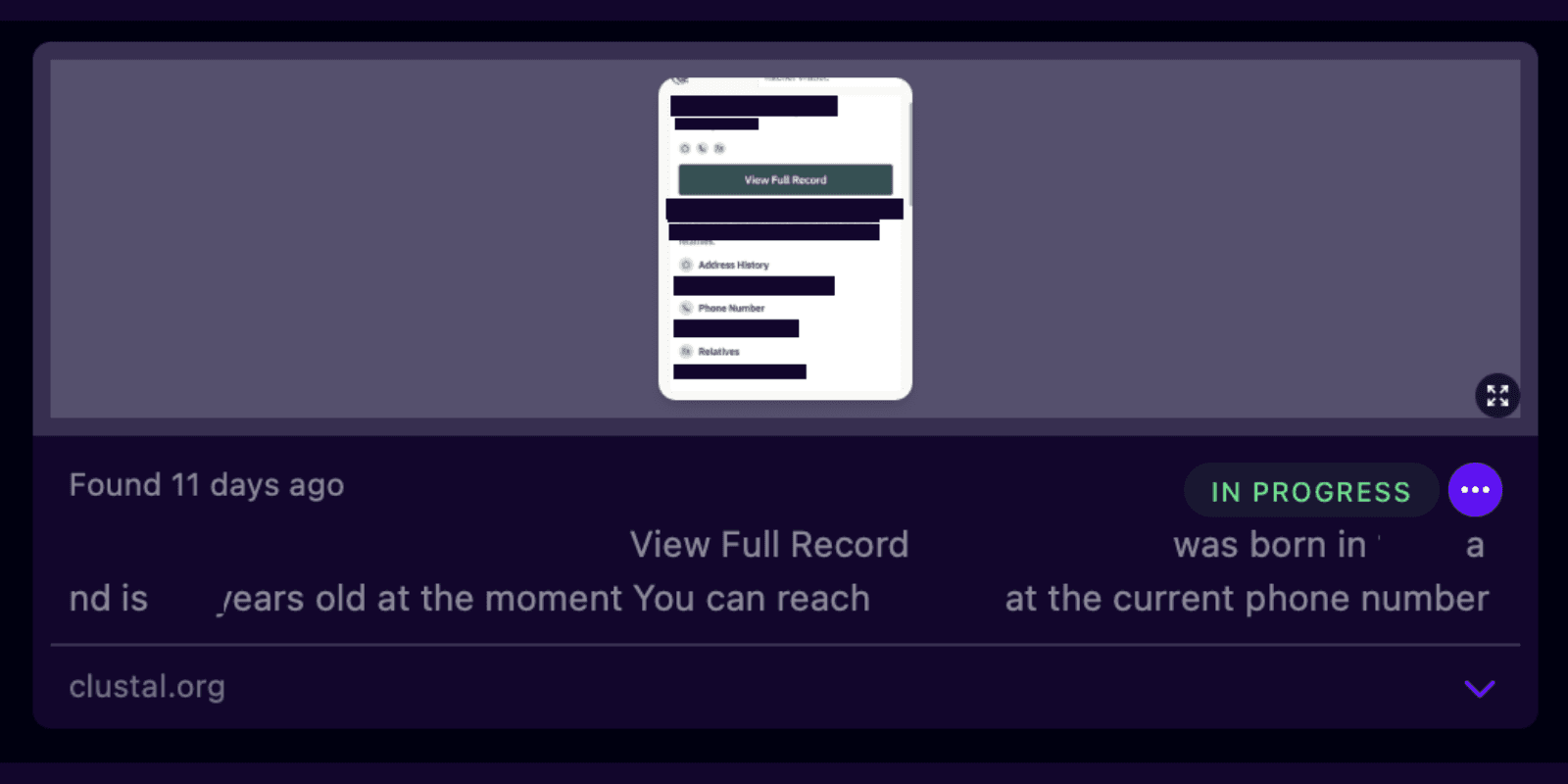
Having personal data exposed on data broker sites puts you at risk on several fronts: it makes identity theft, phishing, and account takeover easier by giving criminals the exact details (address, phone, DOB, family names) needed to impersonate you or answer security questions; it creates physical safety risks through stalking, harassment, or doxxing, especially for vulnerable groups like domestic violence survivors; it exposes you to predatory marketing and scams targeting inferred financial or health details; it can lead to unfair outcomes like price discrimination or flawed background checks based on inaccurate profiles; and since brokers aggregate so much data in one place, they're an attractive target for breaches that can expose more about you at once than any single original source ever would. Kanary focuses on surfacing and addressing the riskiest data broker listings.
Search Engines
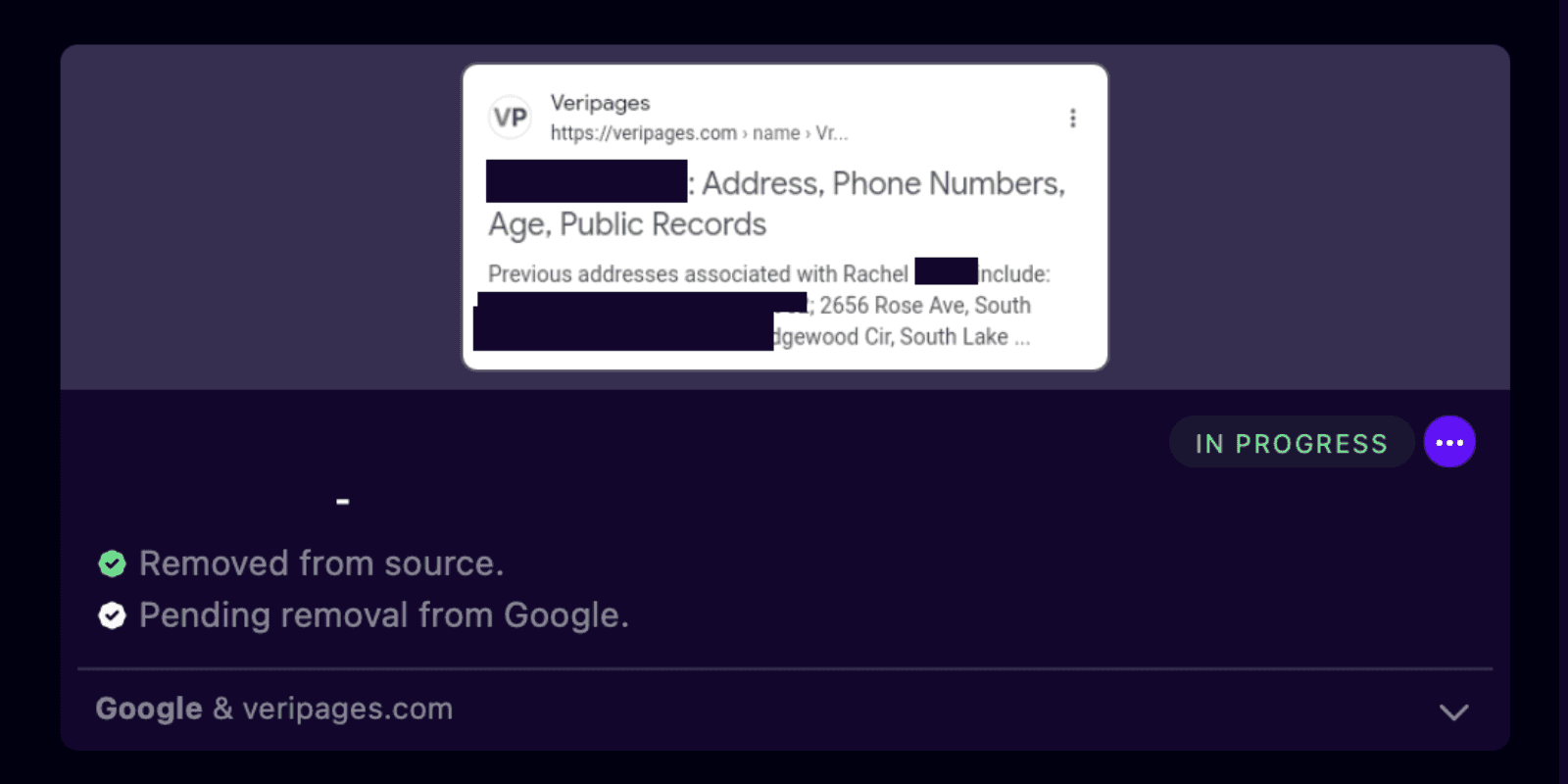
Personal data showing up in search engine results carries risks similar to data broker exposure, but with an added twist: search engines index and surface content that's often already public but scattered across the internet, so anyone can compile a fairly complete picture of you with just a name search. Old social media posts, public records, forum comments, news mentions, cached pages, and people-search site listings all become easy to find in one place. This visibility can enable stalkers, harassers, and doxxers to track down your address, workplace, phone number, or photos. Scammers can use these real biographical details to run convincing phishing and impersonation schemes. Survivors of abuse, public figures, and minors face particular safety risks when this information surfaces beyond their control. Search engines also pull from and link to data broker listings and cached copies of removed content, so information can resurface even after you take it down at the source, which makes the reach of search engines a major factor in how visible and permanent your personal data becomes. The first mitigation step Kanary often takes is deindexing personal data leaks from Google while waiting for it to be removed from the source to reduce risk as quickly as possible.
Social Media
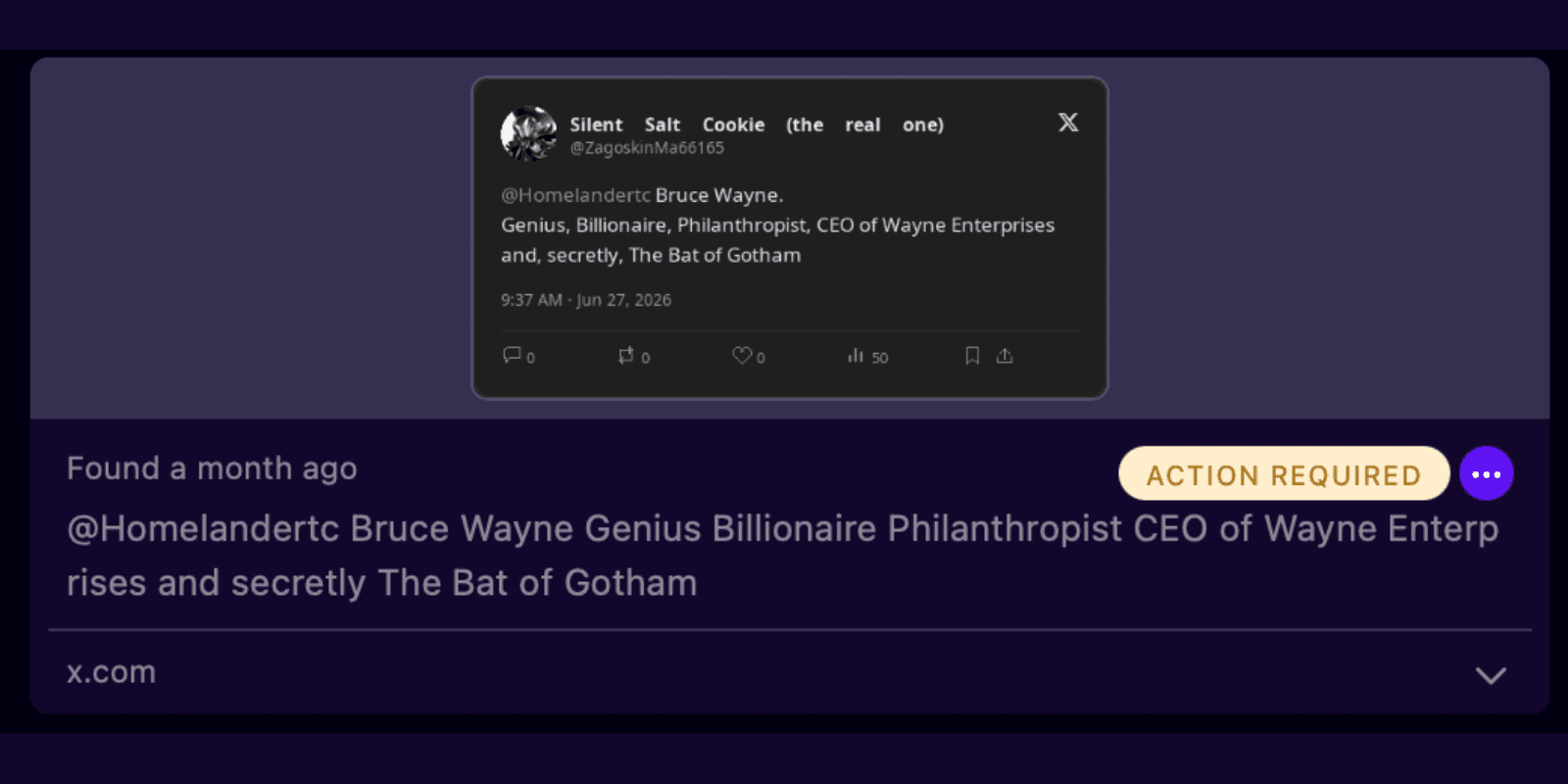
Most of us require some form of public profile to facilitate our personal and professional lives. Bad actors capitalize on this, treating platforms like X and LinkedIn as open-source intelligence goldmines. Malicious actors increasingly leverage automated technologies, including scrapers, bots, and artificial intelligence, to systematically harvest and compile personal information from public social media platforms, effectively transforming them into large-scale surveillance infrastructure that continuously monitors and profiles individuals. Kanary scans for fake accounts and PII leaked in posts or bios to address threats related to impersonation, doxxing and physical harm.
LLMs
AI models are famously sycophantic. They are designed to please the user. Attackers understand this better than most security teams do. Rather than investing in expensive reconnaissance infrastructure, bad actors are using unguarded AI systems like ChatGPT to do the work for them: coaxing out personal data through indirect prompting, assembling dossiers on executives and employees, and building the kind of targeted intelligence that makes social engineering attacks, impersonation campaigns, and physical threats convincing enough to work. Kanary runs continuous, passive monitoring across both ChatGPT's chat interface and developer APIs, which behave differently and can return different results. For confirmed exposures, Kanary manages the removal process on the member's behalf, submitting requests directly through ChatGPT's privacy portal and pursuing retraining requests designed to prevent the same data from surfacing again.
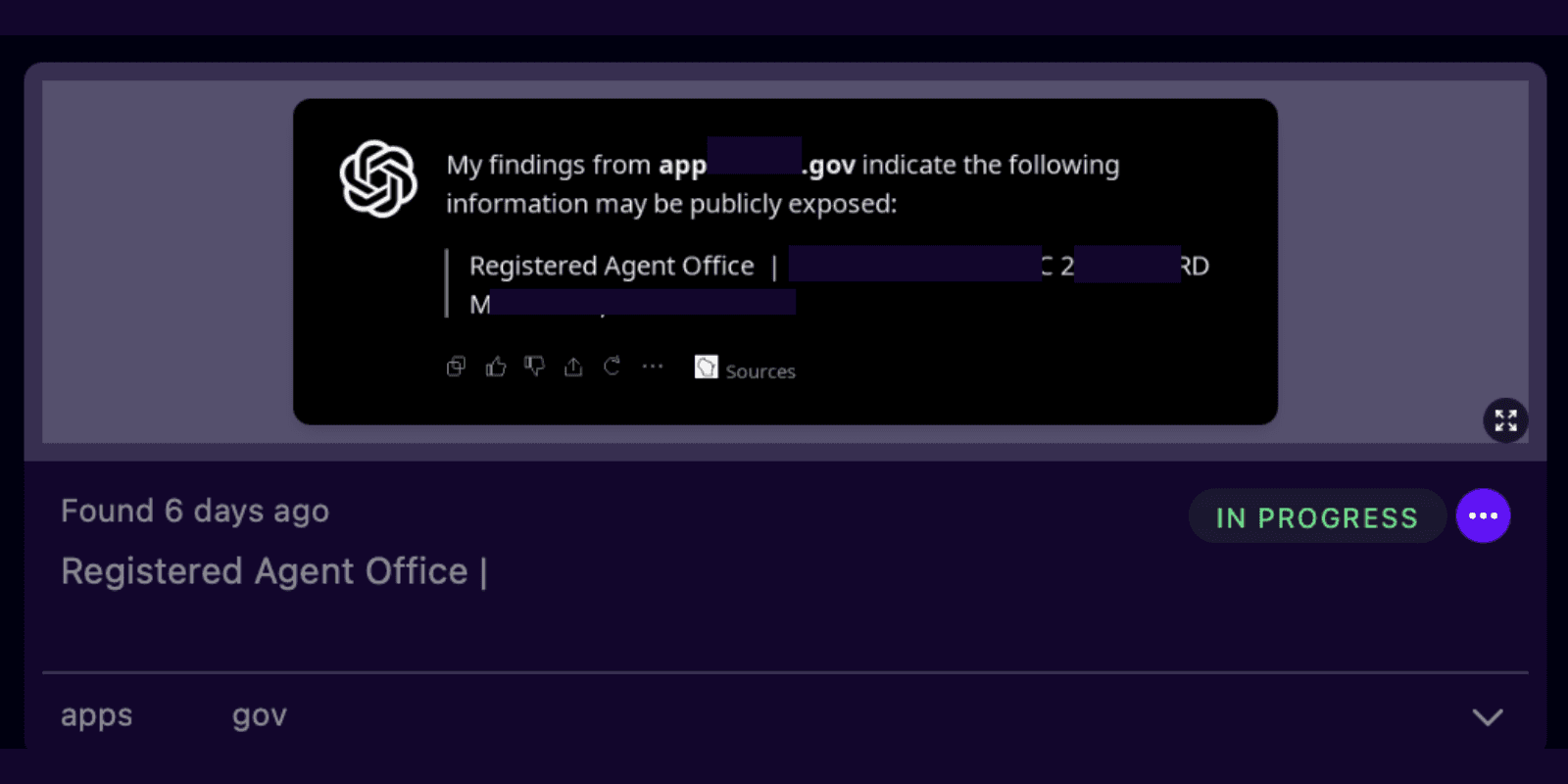
Enterprise Deployment
Kanary allows Team accounts to be set up with two options: member-managed or admin-managed. Member-managed accounts are often rolled out as a benefit to staff or the workforce. Employees set up their accounts using SSO or a work email, enter in their information (just 4 pieces of info required: name, age, city, and state), and the employer sponsors the coverage, while being able to see high level stats on organizational-security.
Admin-managed accounts are run by security analysts or executive admins. They do not require busy team members to activate the account. Information on key personnel, especially execs, can be entered by the analysts from insurance, HR, or other client security systems. When Kanary is configured this way, it serves as both a valuable OSINT tool for security teams and an automated mitigation platform for clearing up risks.
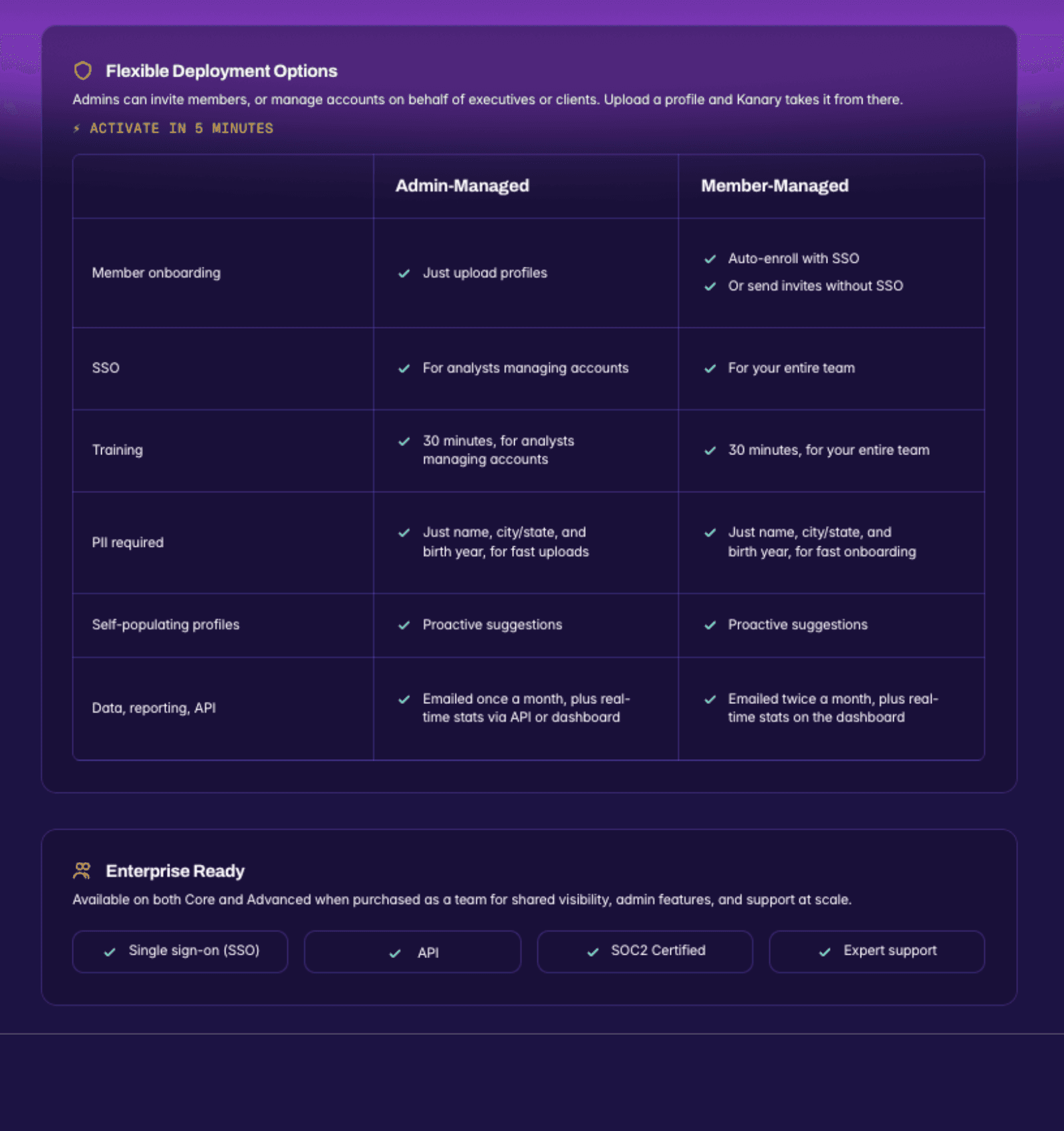
API access is available for teams to either integrate Kanary into their security stack or tooling, or pull data from in their reporting. Kanary's audit-ready logs and transparent screenshots make integrating the intelligence highly valuable and streamlined for developers.
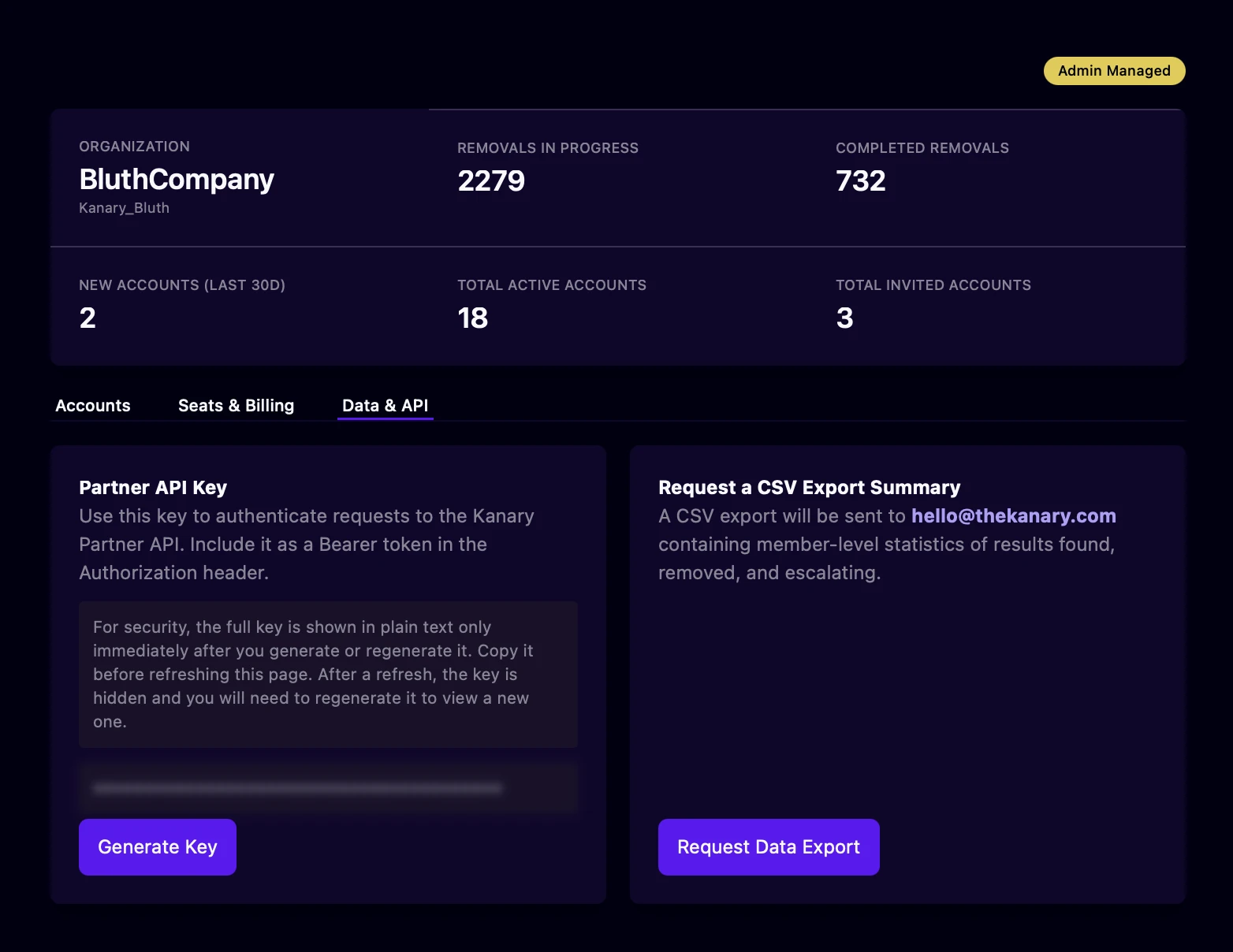
Contact [email protected] if you have questions about pricing, features, or admin functionality. You can review our public case studies highlighting how we support organizations from fast-growing AI companies to nonprofits.
